Draw with FP sDraw
Version: 7.5
783.33MB
4.4

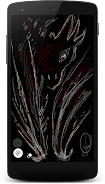

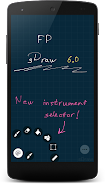
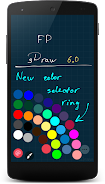
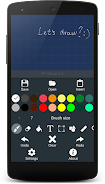
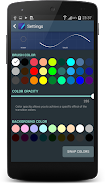
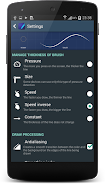
Draw with FP sDraw is a compact Android drawing app designed for quick sketches and more detailed art, offering responsive touch and pen input with a very small installation footprint. The app combines smooth performance, pressure sensitivity and a unique line-smoothing algorithm to make strokes feel natural, while features like auto-save, multitouch and dynamic brush thickness help you work confidently on the go. Users who need fast access to tools, image import, text and filling tools will appreciate its utility. Note that the free trial runs for 20 days and can be extended at no cost.
⭐ Draw with FP sDraw offers very fast, smooth drawing with a unique line-smoothing algorithm for cleaner strokes.
⭐ Tiny install size (under 1 MB) and no advertising keep the app lightweight and distraction-free.
⭐ Full multitouch, pressure detection and dynamic brush thickness with pen support (including Galaxy Note) for expressive input.
⭐ Handy tools such as auto-save, undo/redo, fill for closed areas, image insertion from the gallery and adding text.
⭐ Quick access via volume buttons, customizable background grid, selection/move fragments, drawing primitives and many settings.
✅ Draw with FP sDraw is small and fast, launching quickly and remaining responsive on most phones.
✅ No ads and auto-save protect your workflow and prevent accidental data loss.
✅ A capable mobile toolset includes pressure-aware brushes, a precise brush for fine details, and smoothing for cleaner lines.
✅ Flexible input support covers pens, multitouch and finger hovering when the device supports it, plus image import from the gallery.
❎ The free version is limited to 20 days of use, although the trial can be extended for free when it ends.
❎ Some features, like pressure sensitivity and finger-hover detection, depend on device hardware and may not be available on all phones.