Zone Trade
Version: 1.0.6
0.00MB
4.3

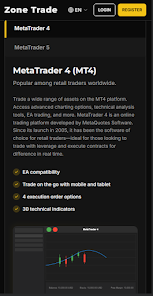
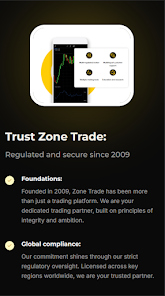

Zone Trade is a streamlined mobile platform that simplifies asset management and peer-to-peer exchanges for traders on the go. It combines real-time market data, customizable alerts, and instant order execution to help users make faster, better-informed trading decisions from a single, easy-to-navigate interface.
Zone Trade centralizes portfolio oversight and trading tools in one app. Users can monitor multiple markets, place orders, and review trade history without switching between services. The design focuses on clarity: charts are readable at a glance, notifications are prioritized, and essential controls are reachable with minimal taps.
The app bundles practical tools for daily traders and investors. Key capabilities let you set watchlists, program alerts, and execute orders quickly while keeping an audit trail of activity for later review.
Navigation in Zone Trade emphasizes speed and consistency. A bottom navigation bar gives immediate access to Home, Markets, Orders, and Account sections. Individual screens are compartmentalized so that placing trades and checking analytics don't feel like separate tasks. Customizable dashboards let you pin the most relevant widgets for quicker decision making.
Security is treated as a priority. Zone Trade supports biometric sign-in, two-factor authentication, and encrypted communications to protect credentials and transaction details. Data sync happens through secure channels and respects device power settings to minimize battery impact when running background updates.
The app is optimized for modern Android devices with responsive rendering on different screen sizes. Load times for charts and order books are reduced by smart caching and incremental updates. Zone Trade also offers options to limit data usage, useful when working on metered networks or slower connections.
Zone Trade connects to a variety of market data sources and brokerage services. API support enables advanced users to link external tools or automate parts of their workflow. Built-in import/export functions simplify moving positions and historical data between services for portfolio reconciliation.
Signing up is straightforward: create an account, verify identity where required, and connect funding sources or broker links. The onboarding tutorial walks through setting up a watchlist, placing a test order, and configuring alert thresholds. For users transitioning from desktop platforms, the settings area includes shortcuts to import lists and preferences.
Personalization helps adapt Zone Trade to your routine. Arrange widgets by priority, reduce noise through alert filters, and use predefined templates for recurring orders. Power users can save layout profiles for different strategies — short-term trading versus long-term monitoring — and switch between them as needed.
In-app help includes FAQs, guided walkthroughs, and a ticketing system for technical issues. Regular updates bring incremental feature improvements and security patches. Release notes outline new integrations and optimizations so users can quickly assess whether an update affects their workflow.
Zone Trade balances usability with functional depth, making it suitable for active traders who need a compact but capable mobile tool. With attention to performance, connectivity, and security, the app supports a wide range of trading activities while keeping essential information front and center.