Diskabel
Version: 1.8
0.00MB
4.5
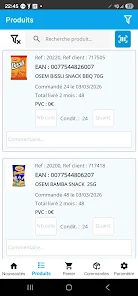
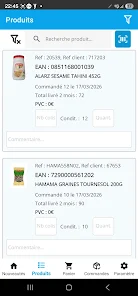
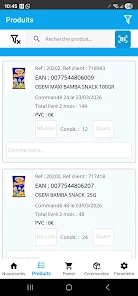
Diskabel is a powerful Android utility designed to analyze, organize, and reclaim storage space on smartphones and tablets. It scans internal memory and external SD cards, highlights large and duplicate files, and offers one-tap cleanup tools so you can manage storage quickly and confidently.
At its core, Diskabel provides a detailed view of how space is used across your device. The app breaks down storage by categories such as photos, videos, apps, downloads, and system files. Visual maps and sortable lists help you spot items that are consuming the most space, while built-in filters let you focus on specific file types or folders.
Diskabel features a streamlined interface that prioritizes clarity and speed. The main dashboard displays storage totals and recent scans, while contextual menus provide quick actions like preview, move, delete, or share. Multi-select gestures and batch operations reduce repetitive taps when organizing large collections of photos or downloads.
Designed with mobile performance in mind, Diskabel runs efficient background scans that avoid battery drain. Scans are incremental after the initial full analysis, so updates are fast. The app supports a wide range of Android versions and works with internal partitions, removable SD cards, and commonly used external storage formats. Root access is optional and only required for advanced file operations on protected areas.
Diskabel requests only the permissions necessary to access and manage files on your device. File operations are performed locally unless you choose to upload backups to cloud services. The app includes clear permission prompts and a privacy section that explains what data is accessed and why, helping users maintain control over their content.
For users who want more control, Diskabel offers adjustable scanning intervals, file size thresholds for alerts, and exclusion lists so certain folders are never touched. Themes and a dark mode help conserve battery on OLED screens, while notification settings let you receive low-storage warnings or scheduled cleanup prompts at convenient times.
Diskabel is useful for a variety of everyday scenarios: freeing up space before installing a major update, cleaning up accumulated screenshots and downloads, preparing a device for resale, or moving media to an SD card to improve app performance. Photographers and content creators can quickly locate large RAW files or video projects that take up disproportionate space.
Begin by granting Diskabel access to your storage, then run an initial scan to build a complete inventory. Use the analyzer to review the largest categories, tap into folders to preview files, and apply batch deletes or moves. Schedule periodic scans to keep storage tidy with minimal effort.
Diskabel combines practical tools and a clear interface to make storage management less intimidating. Whether you need a quick cleanup or a comprehensive reorganization, the app provides focused tools to reclaim space and keep your Android device running smoothly.