Work Clock HQ
Version: 1.0.6
26.00MB
4.5

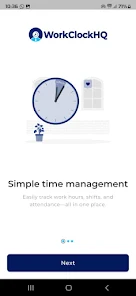
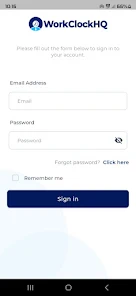
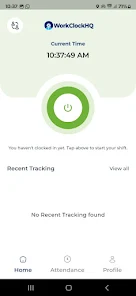
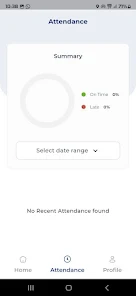
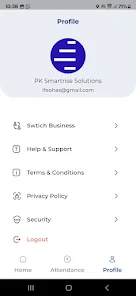
Work Clock HQ is a streamlined employee timekeeping app designed for businesses that need reliable clock-in, scheduling, and payroll-ready reporting. It simplifies shift management, supplies GPS and geofencing verification, and produces exportable summaries so managers can track hours, control overtime, and reduce administrative errors.
Work Clock HQ brings core workforce management tools into a single mobile interface. Clock-ins and clock-outs are recorded accurately with timestamps and optional photo verification. Shift scheduling is handled with drag-and-drop simplicity while automated alerts remind staff of upcoming shifts. Built-in timers, break tracking, and customizable pay rules make it possible to calculate regular time, overtime, and premiums without manual spreadsheets.
For managers, the app replaces paper timesheets and fragmented CSV exports. Supervisors can approve or reject time entries, adjust times for missed punches, and monitor attendance trends. Employees see their upcoming shifts and recent hours in one place, which reduces confusion and improves punctuality. Notifications help keep everyone aligned, from last-minute shift changes to approval requests waiting in a queue.
Reporting is designed for payroll and compliance. Work Clock HQ generates ready-to-export reports that summarize hours by employee, project, or department. Filters let administrators isolate overtime, paid time off, and exceptions. Reports can be downloaded in common formats or connected to payroll systems through available integrations, cutting down on manual data entry during pay runs.
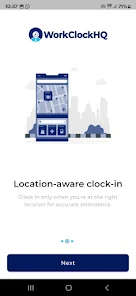
To prevent time theft and ensure accurate job-site records, the app supports GPS stamping and geofencing so clock-ins only succeed within authorized areas. Role-based access controls let you limit who can edit time records or access sensitive payroll reports. Data is encrypted in transit and at rest, and audit logs record who made changes and when, helping businesses meet internal and regulatory requirements.
Work Clock HQ adapts to diverse workforce rules. Define custom pay periods, increment rounding, grace periods, and break policies to mirror company rules or local labor laws. Shift templates and position-based permissions make rolling out consistent schedules across multiple locations straightforward, and custom fields capture job codes or project numbers for more accurate cost allocation.
The interface prioritizes clarity. Clock buttons, shift details, and alerts are presented with clear visual cues so employees can act quickly on a phone. Managers access a dashboard with at-a-glance metrics like hours worked today, late arrivals, and open timesheets. The learning curve is shallow, allowing teams to adopt the app with minimal training.
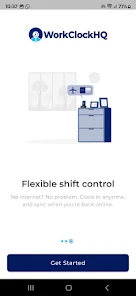
Work Clock HQ works across Android devices and integrates with common payroll and HR platforms. Export formats include CSV and XLSX, while API endpoints support automated data transfers into accounting systems. Offline mode captures punches when connectivity is poor and syncs them when the device reconnects, making it suitable for remote or mobile workforces.
Getting started is straightforward: set up locations, import employee lists, and apply pay rules. Administrators can onboard staff via email invites or QR codes. Customer support options include documentation, in-app help, and responsive technical assistance for troubleshooting or custom configuration requests.
Work Clock HQ combines practical tools with straightforward controls to help businesses manage labor costs, simplify payroll preparation, and maintain reliable attendance records. With a focus on accuracy, security, and ease of use, it serves as a central hub for employers and employees to manage time efficiently.