
Shokz OpenFit Pro Guide
Version: 1.1.1
24.00MB
4
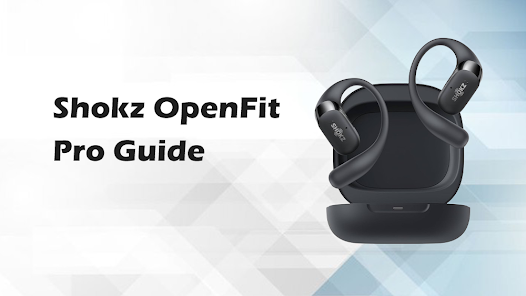
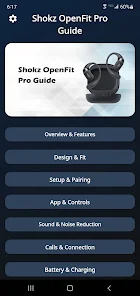


Shokz OpenFit Pro Guide is a compact companion app that helps you get the most from your OpenFit Pro headphones, offering step-by-step setup, personalization tips, and troubleshooting tools. It focuses on making device pairing, audio tuning, and firmware updates straightforward for everyday listeners and active users.
The Shokz OpenFit Pro Guide bundles practical utilities and learning resources into a small, focused interface. Instead of overwhelming menus, it highlights actions that improve sound quality, battery life, and connection reliability. New updates include clearer instructions for firmware installation and quicker access to support diagnostics.
Launch the app, follow the on-screen pairing prompts, and allow the necessary permissions for Bluetooth and notifications. The initial walkthrough verifies that your OpenFit Pro hardware is recognized, confirms firmware version, and suggests the most relevant audio preset for your usage—commuting, running, or office listening.
The guide helps you adjust audio settings without complex menus. Preloaded EQ profiles are labeled by activity and can be tweaked incrementally. The app also explains proper placement and fit for bone-conduction drivers to optimize clarity and comfort—short visual tips and short video clips make adjustments easy.
Firmware updates are presented with clear descriptions of what changes they include, plus an estimated time to complete. The Shokz OpenFit Pro Guide safeguards the process by reminding you to keep the headset charged, avoid interruptions, and maintain Bluetooth range during installation. If an update fails, the app provides step-by-step recovery options.
Battery life is a top concern for active users. The guide includes recommendations to maximize runtime, such as turning off smart features when not needed, choosing power-efficient EQ presets, and tips for fast charging. A readable battery timeline shows recent usage patterns so you can spot apps or settings that drain power.
The app supports a broad range of Android devices and outlines requirements for Bluetooth versions and OS updates. It also lists known compatibility notes—like features that depend on specific Bluetooth codecs or newer Android APIs—so you can determine whether your phone will deliver the best experience with the Shokz OpenFit Pro Guide and the headset.
If audio drops or pairing stalls, the app walks you through diagnostic checks: reset suggestions, cache clearing, and manual pairing steps. A built-in log capture helps when contacting support, and guided prompts let you perform safe resets without risking personalized settings unless you choose to restore defaults.
For new owners and those updating their gear, the Shokz OpenFit Pro Guide reduces friction around daily use. It focuses on clear actions—pairing, tuning, updating, and diagnosing—so users can spend less time troubleshooting and more time listening. Regular updates to the app aim to keep pace with firmware improvements and Android platform changes.
If you own an OpenFit Pro headset, the guide acts as a reliable next step to unlock better sound, longer battery life, and smoother connectivity without a steep learning curve.