
Expense control
Version: 1.0.32
29.00MB
4.4
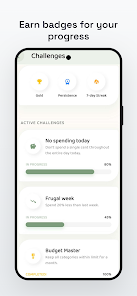
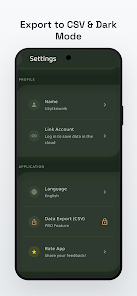
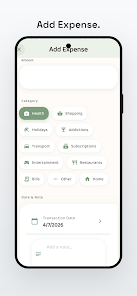
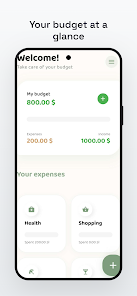
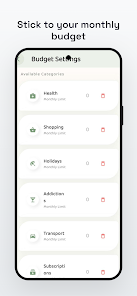
Expense control helps you monitor spending, categorize transactions, and plan budgets with a clean, mobile-friendly design. The app provides fast expense entry, recurring reminders, and clear visual summaries so you can see where money goes. Expense control is built for everyday budgeting and quick decision-making.
Expense control focuses on simple, reliable money management for Android users. It captures purchases and income, groups entries by category, and produces summaries that highlight trends over days, weeks, or months. The goal is to remove friction from tracking cash flow so users can make informed choices without lengthy setup.
The interface prioritizes clarity: a dashboard with the latest totals, quick-add buttons, and a navigation bar that keeps frequent actions within reach. Color-coded categories and concise labels let you scan balances at a glance. Expense control uses consistent gestures and minimal menus to reduce the learning curve for new users.
Expense control integrates into daily routines by simplifying data capture and review. Enter expenses immediately after purchase or batch them at day’s end. Automated reminders handle bills so you don’t forget due dates. The app’s export options make it easy to share monthly statements or prepare files for personal tax records.
Beyond raw numbers, the app surfaces patterns that matter. Trend lines reveal whether dining out, transportation, or subscriptions are growing as a proportion of total spending. Monthly comparisons show where budgets succeeded or slipped, and filters help isolate business versus personal transactions for clearer oversight.
Expense control offers local backup and cloud sync options depending on user preference. Sensitive data can remain stored only on the device, or you can enable secure synchronization across multiple devices. Export and import features support common formats so you retain control over records without vendor lock-in.
Designed to run smoothly on a wide range of Android phones and tablets, Expense control keeps memory and battery use low. The app loads quickly, even with long transaction histories, and handles large datasets without lag. Regular updates maintain compatibility with current Android releases and fix reported issues promptly.
Customization options let you tailor the experience: personalize category lists, set your preferred currency, and toggle dark mode to reduce eye strain. Accessibility settings include scalable text and clear contrast choices so the app remains usable for many different needs.
Begin by creating a simple account and entering a few recent transactions. Set up recurring bills and a budget for one or two categories to see immediate value. If you use multiple devices, enable sync to keep records consistent. Within minutes you’ll have a clear snapshot of current finances and practical next steps.
Expense control is well suited for individuals and small households who want straightforward, dependable tracking without the clutter of advanced financial suites. It supports people who prefer hands-on control of their records as well as those who want automated reminders and digestible visual summaries.
With a compact feature set focused on everyday needs, Expense control balances functionality with simplicity. It encourages disciplined spending habits through quick inputs, timely alerts, and meaningful reports, making personal finance management a less time-consuming, more transparent part of daily life.