Pedometer - Step Tracker
Version: 1.2.8
10.08MB
4.5

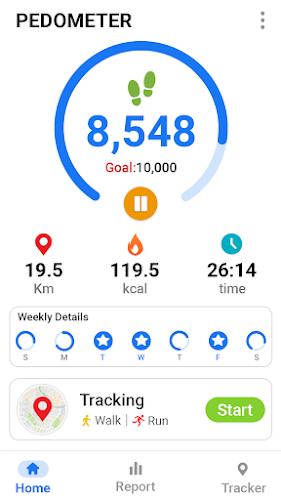
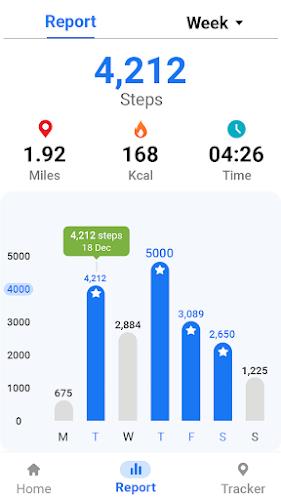
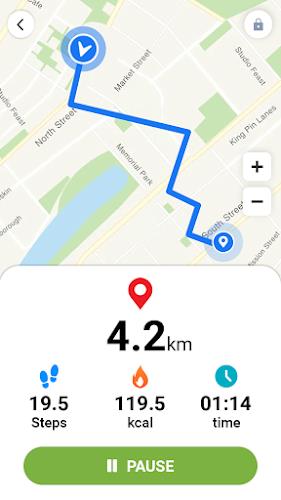
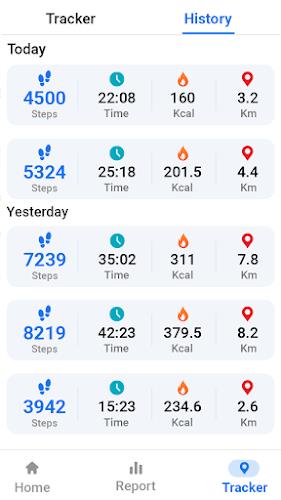

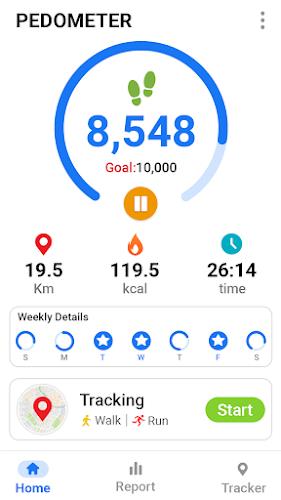
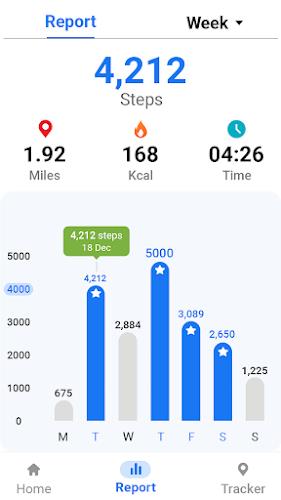
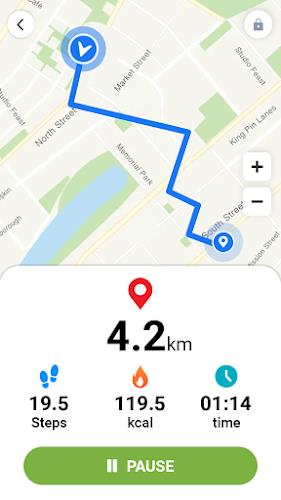
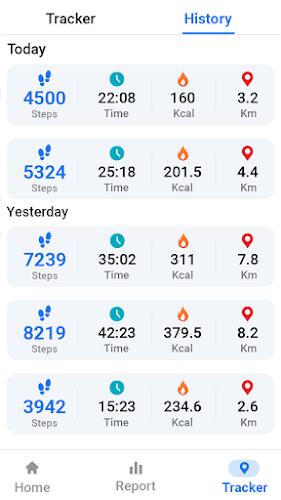
Pedometer - Step Tracker is a lightweight, battery-friendly activity app that quietly records daily walking and delivers clear, human-readable statistics. Pedometer - Step Tracker watches motion sensors and uses a tuned detection algorithm to translate steps into distance and calorie estimates, presenting daily totals and weekly trends in a compact interface so checking progress becomes a quick part of your routine.
The app uses the device accelerometer and motion sensors to identify walking patterns and separate brief motions from sustained steps. A calibrated detection algorithm interprets sensor signals to produce reliable step counts, and distance is estimated from an adjustable step-length value. Calorie calculations are based on weight and activity duration, giving straightforward feedback suitable for everyday planning rather than clinical metabolic modeling.
Automatic detection means the app runs hands-off for most users: there’s no need to start or stop sessions for routine walking. Controls are intentionally minimal and easy to understand. In settings you can tweak sensitivity, set a personalized step length, and update body metrics. A simplified main screen can hide advanced metrics so only the current step count, daily target progress, and a timestamped activity indicator remain visible.
Daily goals act as a simple progression system: choose a realistic target and let small, consistent improvements add up. Progress is shown with large numeric counters and compact timelines that highlight bursts of activity. Weekly and monthly charts reveal patterns so you can adjust targets, recognize habitual improvements, and identify times when activity drops. Gentle reminders help keep goals visible without interrupting your day.
The visual design is focused on readability and quick glances: large, high-contrast numbers, clear icons, and an uncluttered layout that works well on both phones and tablets. Key statistics are prioritized, while deeper history and settings remain one tap away. The interface supports a simplified view for users who prefer minimal on-screen information and a more detailed view for those who want trend charts and export options.
Customization strikes a balance between control and simplicity. You can change units for distance, fine-tune step length to improve distance accuracy, and update weight to refine calorie estimates. Notifications are optional and configurable, so reminders can be scheduled for times that fit your daily routine or turned off entirely. History can be cleared locally or exported for personal record-keeping when needed.
The app favors low-power sensors and efficient background processing to minimize battery impact. It reduces unnecessary wakeups and keeps memory use modest so it remains responsive even on older or lower-end devices. Pedometer - Step Tracker documents common compatibility notes: newer Android releases typically provide more consistent sensor behavior, while very old phones may show small variations in step detection that are expected and described in the help section.
The tracker works entirely offline and stores activity history locally, requiring only motion and background permissions. No online account is required for basic tracking, which keeps personal data on your device. Accessibility considerations include large numeric displays, clear contrast, and options to simplify the interface for users who benefit from reduced on-screen complexity. These choices make the app suitable for a wide range of abilities and daily routines.
For better distance and calorie estimates, calibrate step length by walking a measured distance and entering the exact step count into settings. Keep your phone in a consistent pocket or on a belt clip throughout the day because sensor placement affects results. If you occasionally compare readings with another device, you can fine-tune sensitivity to match your typical movement. To begin, install the app, grant motion and background permissions, and enter a few personal details—Pedometer - Step Tracker includes a short onboarding that points out where daily logs, historical charts, and reminders are located so you can start tracking within minutes.