
Sabah
Version: 4.1.0
31.43MB
4.2
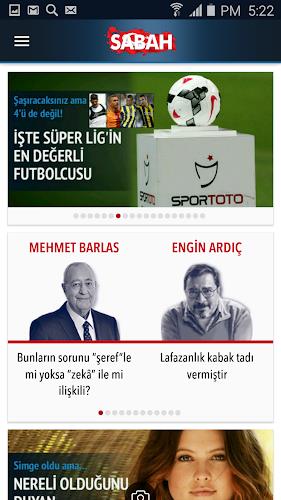



Sabah is a versatile Android productivity app designed to centralize your daily tasks, schedules, and quick notes into a single streamlined workspace. It blends calendar, task management, and lightweight collaboration tools so users can plan projects, coordinate with teammates, and keep track of priorities with minimal friction.
Sabah organizes time and information into clear lanes: tasks, calendar events, reminders, and shared items. The app emphasizes fast entry and glanceable summaries so you spend less time navigating menus and more time acting on what matters. Notifications, smart suggestions, and adaptive sorting help you focus on high-impact items rather than low-value noise.
The interface balances simplicity with power. A clean dashboard provides a daily snapshot: upcoming events, overdue tasks, and suggested focus items. Sabah's one-tap creation flow means you can add a task or quick note from anywhere, while swipe gestures handle common operations like completing tasks or snoozing reminders. Customizable views let you switch between compact lists, detailed boards, or a calendar-centric layout depending on the kind of work you’re doing.
Personalization is intentional and practical. Choose color schemes for different projects, define default due times, and set recurring task patterns in a few taps. Widgets extend functionality to the home screen, offering a glanceable to-do list or next appointment preview. Filters and saved queries let power users create focused workspaces—for example, showing only high-priority tasks due this week or everything assigned to a specific project.
Sabah plays well with existing tools. It supports calendar syncing with Google Calendar, imports from CSV for migrating lists, and shares tasks via links or email. Offline mode keeps your data accessible without a network, while changes sync automatically when connectivity returns. The app is optimized for a wide range of Android devices, from phones to tablets, ensuring consistent layouts and touch responsiveness across screen sizes.
Lightweight coding choices keep Sabah responsive even on older hardware. Background sync is efficient, minimizing battery drain while ensuring entries and collaboration updates appear quickly. Data security uses local encryption for cached items and optional cloud backup for peace of mind; granular privacy controls let you decide what information is shared or stored remotely. Regular updates focus on stability and incremental feature improvements.
Begin by creating a free account and connecting your primary calendar if desired. Spend a few minutes importing existing to-dos or setting up a first project to test the workflow. Explore the widget options to identify a home-screen layout that matches your routine. As you grow more comfortable, use tags and saved filters to create specialized views that match personal or team processes.
Sabah aims to reduce friction between planning and doing by offering a compact set of tools that scale with user needs. Regular updates add refinements while preserving the straightforward workflows that make the app effective for day-to-day planning, team coordination, and long-term project tracking.