
Winespace
Version: 1.0.2
92.00MB
4

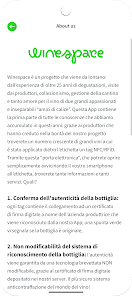
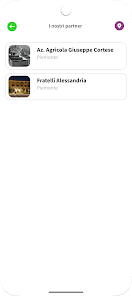
Winespace is a smart mobile companion for wine lovers that helps catalog bottles, track tastings, and discover new labels with intuitive tools and social features. It blends a clean interface with powerful organization options, making wine management effortless for collectors, enthusiasts, and hospitality professionals alike.
Winespace organizes your wine collection with precision. Whether you maintain a handful of favorites or a cellar worth hundreds of bottles, the app provides rapid cataloging, image-based identification, and a searchable database so you can find the right bottle fast. It supports tasting notes, vintage history, and provenance records to preserve contextual details that matter.
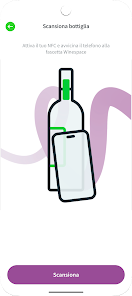
The workflow in Winespace is straightforward. Start by photographing a label or scanning a barcode; the app then matches the image to its database and suggests details you can confirm. From there, assign the bottle to a location, add tasting notes, and tag it for events or meals. Searching and filtering use natural language queries, so you can quickly locate all bottles from a region, varietal, or year.
Several built-in tools make Winespace more than a digital ledger. A cellar map lets you visualize storage areas and adjust stock levels as you consume bottles. The aging calculator estimates drinkability windows based on varietal and vintage data. For collectors, provenance and purchase price tracking help maintain valuation records and resale readiness.
Winespace favors a tidy, mobile-first design. Navigation is driven by a bottom bar with clear icons for collection, discovery, tasting, and settings. Photographic scans are fast, and results typically appear within seconds. The app is optimized to run smoothly on mid-range devices and includes offline support so you can view your cellar without an internet connection.
Customization is a highlight. Create custom tags for events like dinners or holidays, define personal scoring systems, and configure tasting templates to focus on aroma, palate, or finish. The app also adapts recommendations to your taste history, learning from saved favorites and ratings to suggest bottles that align with your preferences.
Social elements in Winespace encourage sharing and discovery. You can publish tasting notes to a private network or public feed, follow other users for inspiration, and join themed groups. For professional environments, the app supports shared cellar access so staff members can update inventory in real time and coordinate purchasing decisions.
Data privacy is addressed with account-level backups and optional cloud sync. You control what information is shared publicly versus kept private. Export options include CSV for inventory audits and PDF for tasting reports, which is useful for sommeliers and retailers who need printable records.
New users will find Winespace welcoming and practical. The learning curve is short, and helpful prompts guide you through first-time setup. Advanced features remain accessible without overwhelming basic usage.
Installation is typical for mobile apps: download from your app store, register an account, and choose whether to enable cloud sync. Initial setup invites you to import from CSV or begin a manual catalog. Regular updates add new vintages and improve label recognition, so check for updates periodically to keep the database current.
Winespace earns repeat use by combining accurate recognition, flexible organization, and tasteful design. It supports both casual drinkers and serious collectors with tools that scale alongside your cellar. Frequent updates and responsive performance make the app a dependable partner for managing, enjoying, and sharing wine collections.