OneLiker
Version: 1.2.9
28.15MB
4


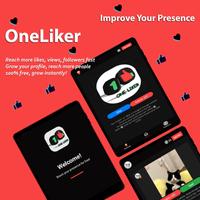




OneLiker is a compact Android utility that helps users discover, schedule, and analyze social interactions to grow online engagement naturally. The app focuses on making routine tasks faster and more predictable, offering a straightforward workflow for creators, small businesses, and social media enthusiasts who want steady results without complex setups.
At its core, OneLiker streamlines daily engagement tasks. It bundles discovery tools, lightweight automation, and analytics into a single interface. Instead of juggling multiple services, users can plan interactions, track performance, and refine their approach using the app’s consolidated dashboard. The goal is consistency: steady activity that supports healthy account growth over time.
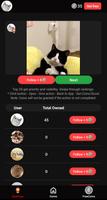
The app guides users through a three-step routine: choose targets, set an interaction pattern, and monitor outcomes. Selecting targets uses adjustable filters; then users define cadence and limits to avoid overactivity. Finally, a reporting screen shows recent activity and results, helping adjust filters and timing. This flow reduces manual work while giving users control over every decision.
OneLiker emphasizes a clean layout with minimal distractions. Main functions are arranged across a few screens: Explore, Queue, Reports, and Settings. Each screen focuses on a single task, so new users can start basic campaigns within minutes. Controls are labeled clearly, and default schedules are conservative to protect accounts from risky behavior.
Customization is central to the app’s value. Users can create multiple target lists, vary interaction speeds, and save presets for different campaigns or accounts. Built-in safety measures include daily caps, randomized delays, and pause/resume options to simulate human-like behavior. These features are designed to reduce the appearance of automation while maintaining consistent engagement.
OneLiker is designed to be lightweight on device resources. Actions run on small background processes with low battery and memory footprints. The app limits simultaneous operations to keep network usage modest and to avoid triggering platform rate limits. Regular updates aim to keep the app compatible with the latest Android releases and to improve stability.
Beginners benefit from conservative defaults and an onboarding guide that explains each option clearly. Experienced users can dive into advanced presets to run multiple concurrent lists tailored to different niches.
Users appreciate OneLiker for its balance of power and restraint. It provides automation that respects platform limits and offers measurable feedback. Small teams and individual creators often cite the app’s simplicity and predictable results as key reasons to adopt it instead of more complex tools.
Installing OneLiker is straightforward: download the APK, grant the necessary permissions, and follow the setup wizard to connect accounts and establish first filters. The setup wizard helps users choose sensible defaults and warns about aggressive settings. After setup, the Explore tab is the fastest place to build a first queue and observe initial performance.
Overall, OneLiker aims to be a practical assistant for steady social growth—providing discovery, scheduling, and monitoring features that fit into a creator’s daily routine without requiring deep technical knowledge.