
Muafa+
Version: 1.0.0
21.00MB
4.2









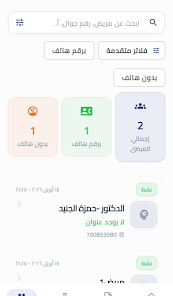






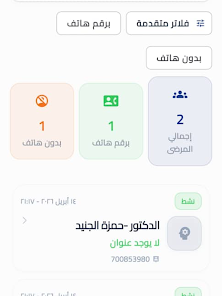


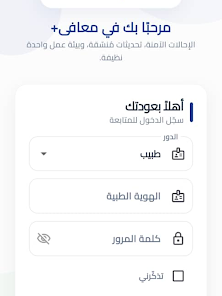
Muafa+ is a compact productivity app designed to centralize daily tasks, notes, and secure file access into a single streamlined workspace. It combines quick-entry tools with cloud synchronization and granular permission settings to help professionals keep projects organized without switching between multiple apps or services.
At its core, Muafa+ reduces context switching by providing task lists, a lightweight note editor, and integrated file links in one interface. The app is built for users who juggle projects and collaborators—managers, freelancers, and small teams benefit from the focus on speed and structured information.
Start by creating a workspace for a project or client. Tasks can be created in seconds using the quick-entry bar, then grouped into phases or milestones. Notes are attached to tasks or stand on their own as project documents. When team members are added, permissions let you control who can edit or only view content.
Notifications are unobtrusive: Muafa+ uses a single feed to alert you about status changes, comments, and approaching deadlines. The design favors minimal taps while still exposing powerful filters to locate the exact record you need.
Muafa+ delivers a clean and responsive interface that performs well on mid-range devices. Animations are conservative to conserve battery and improve perceived speed. The app uses background sync intelligently, balancing timeliness with network and power use.
Visual hierarchy is clear: tasks, notes, and files are visually distinct so you can scan a project page quickly. Accessibility options include scalable text sizes and high-contrast themes for readability.
For teams, Muafa+ offers role-based permissions and encrypted sync. File references remain links to your preferred cloud provider, so the app avoids storing large binaries locally unless you explicitly download them. Audit logs record activity history for accountability without exposing content to third parties.
Muafa+ is particularly effective for client management, content planning, and small product teams. Use it to map out launch checklists, collect meeting notes tied to specific tasks, or coordinate deliverables across contractors. The saved views let project leads present a concise status update without building a separate report.
For teams evaluating Muafa+, consider testing its permissions model and sync behavior with a pilot project. The lean feature set focuses on core productivity needs, so the learning curve is short but the organizational payoff grows as you adopt tags and templates.
Installation is straightforward: download, authenticate with your account, and create or join a workspace. Muafa+ guides first-time users through importing tasks from CSV and connecting a cloud storage account for file linking. Short in-app tutorials make it easy to master record creation, tagging, and permission settings within minutes.
With its emphasis on speed, clear visual hierarchy, and practical collaboration tools, Muafa+ provides a focused environment for teams and professionals who want to reduce app sprawl while keeping control of shared project information.