Beat Jam - Music Maker Pad
Version: 1.9.0
151.80MB
4.3
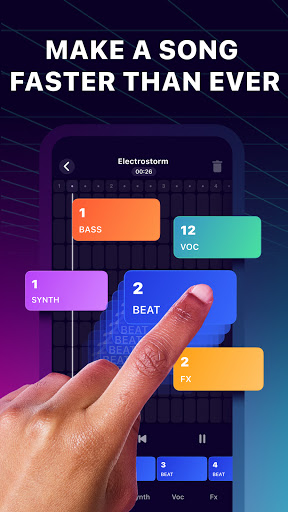
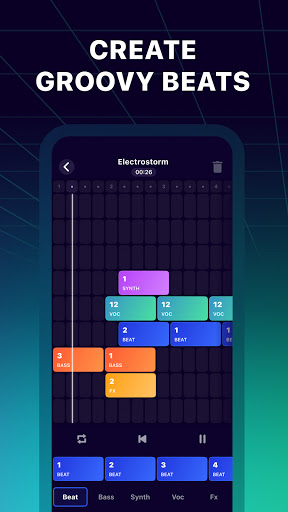


Beat Jam - Music Maker Pad is a mobile music production tool that turns loops, samples, and performance pads into complete tracks. Designed for quick beat creation and live jamming, it lets users layer rhythms, add effects, and record ideas on the fly using an intuitive pad-based interface.
Beat Jam - Music Maker Pad focuses on enabling fast, hands-on music creation on Android devices. It provides a grid of responsive pads, a library of genre-spanning samples, and a streamlined recorder. The app is aimed at hobbyists, beatmakers, and anyone wanting to prototype musical ideas without complex desktop software.
The workflow in Beat Jam - Music Maker Pad is deliberately simple: pick a kit, assign samples to pads, and perform sections live. Each pad can hold a loop or transient sound, and pads can be chained to build patterns. The recorder captures sessions in stereo which makes it easy to transfer sketches to a desktop DAW later.
Beyond live triggering, the app offers basic clip trimming, volume automation per pad, and a scene mode to switch between different pad configurations. These tools let you move from jam to structured arrangement without leaving the app, so spontaneous ideas can be polished into shareable tracks.
The interface prioritizes responsiveness and clarity. Pads are color-coded and resize to fit smaller screens, and touch sensitivity adjusts the output velocity for expressive playing. Performance is optimized to minimize audio dropouts, and CPU usage is balanced so you can run multiple effects without stutter on modern devices.
Beat Jam - Music Maker Pad uses smart buffering and prioritizes audio threads to keep latency low. If you experience performance limits on older hardware, the app provides an option to reduce sample quality and disable non-essential visual effects to preserve timing accuracy.
Users can import their own WAV files to create custom kits, rename pads for quick recall, and save presets for different projects. The app also includes tempo syncing, quantize options, and a metronome to keep jams in time. These customization settings help tailor the app to different production styles.
Musicians appreciate Beat Jam - Music Maker Pad for its immediacy and portability. It removes friction from the creative process, allowing you to translate a rhythmic idea into a recorded piece in minutes. The combination of tactile pads, on-device effects, and straightforward export makes it suitable for both practice and quick content creation.
Installation is straightforward via the Android store. After the initial download, the app walks you through a beginner-friendly demo to assign sounds and start a session. Most users can go from install to first recording in under ten minutes.
Whether you’re sketching beats on the subway or performing live at a small venue, Beat Jam - Music Maker Pad provides a compact but powerful set of tools for producing modern beats and loops on the go.