Noctis
Version: 1.4.1
344.03MB
4.2
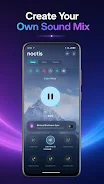
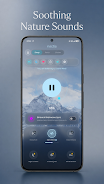
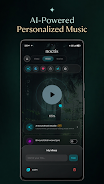
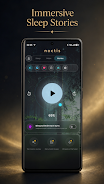
Noctis is a compact Android utility that brings advanced night-time display controls and customizable dark themes to your device. It centralizes blue-light reduction, color temperature adjustment, and scheduled profiles so you can tailor screen behavior for evening use, reduce glare, and create comfortable viewing conditions during late hours.
Noctis combines a set of practical tools for managing your screen’s visual output. Core functions include adjustable color temperature, intensity sliders for filter strength, and automatic scheduling based on sunset and sunrise times or custom hours. The app also offers per-app overrides so you can keep specific apps at normal color while dimming the rest of the interface.
Controls are presented clearly with sliders and toggles. You can fine-tune warmth levels to your preference and set a maximum dim level to avoid overly dark screens. Quick-access widgets and a notification quick-toggle let you enable or disable the filter without opening the full interface. For users who want minimal interruption, a stealth mode hides persistent notifications while keeping schedules active.
Profiles let you preconfigure several presets — for example, "Reading", "Nightwork", and "Movie" — and switch between them instantly. Each profile stores temperature, intensity, and which apps should be exempt. Profiles can be triggered automatically by location, time, or connected devices such as Bluetooth headsets, so your preferred display settings follow your routine.
The app uses an overlay-based approach to adjust screen color and brightness without requiring root access. That means it works with most Android versions and stays compatible through system updates. When schedules are active, Noctis smoothly transitions between presets to avoid abrupt changes that can be jarring to the eyes. A small permission set is required to draw over other apps, which is standard for display filter tools.
Designed to be lightweight, the app minimizes CPU and memory use so it won’t interfere with background tasks or battery life. It is compatible with a wide range of devices, including tablets and phones from various manufacturers. When hardware dimming is available on certain devices, the app identifies and uses it to deliver darker screens without heavy overlays, further improving efficiency.
The interface emphasizes clarity: main controls are accessible from the home screen, while advanced options are tucked behind a settings menu. A timeline preview shows how colors will shift through the evening so you can anticipate changes. For power users, an export/import option handles profile backups and transfers between devices.
Getting started is straightforward. Grant the draw-over-other-apps permission when prompted, then choose your initial temperature and intensity. Use the automatic schedule assistant to set sunrise and sunset behaviors or enter custom times. A guided tour walks you through creating the first profile and setting app exceptions, enabling a smooth first-run experience.
Noctis is geared toward users who want robust night-time display controls without complexity. It balances ease of use with advanced customization, offering both automatic and manual options. Whether you need a simple warm filter for evening browsing or a sophisticated profile system tied to locations and devices, the app offers a flexible toolkit to manage how your screen looks after dark.