Xbox Cloud Gaming
Version: 2409.1.6
95.40MB
4.2
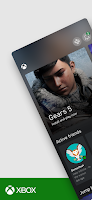
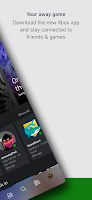
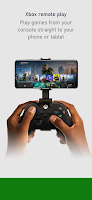
Xbox Cloud Gaming lets you stream full console-quality games to phones, tablets, and PCs without downloads, delivering fast access to a large library through cloud servers. It’s built for players who want instant play, cross-device continuity, and gamepad support while keeping progress synced across platforms.
Designed as a cloud-first gaming platform, Xbox Cloud Gaming focuses on accessibility and convenience. Players can jump into multiplayer sessions, single-player titles, and new releases without waiting for installs. The service emphasizes seamless handoff between devices, low-latency streaming, and support for popular controllers and touch controls where available.
Xbox Cloud Gaming runs games on remote Xbox hardware in data centers and streams the video feed to your device. Your inputs are sent back to the server, producing near-real-time interaction when network conditions are good. The experience depends on your internet speed, device performance, and regional server availability.
For reliable gameplay, a stable broadband connection is recommended. The platform adapts bitrate and resolution to maintain responsiveness during variable networks. While local hardware isn’t responsible for rendering, the device still needs sufficient processing for decoding video and handling controller input.
The front-end is built to be intuitive: a library grid, search filters, and quick-access buttons for saved games and controller pairing. Menus are streamlined for touch and mouse/keyboard input alike. Xbox Cloud Gaming’s interface balances simplicity with enough options to manage downloads, storage on companion devices, and subscription details.
Latency is the critical factor for responsiveness. In optimal conditions, Xbox Cloud Gaming can feel comparable to local console play, particularly for single-player and turn-based games. Competitive twitch shooters will expose even minor delays, so wired controllers and low-latency networks help. Regional server density and peak usage times also affect performance.
Setting up Xbox Cloud Gaming is straightforward. Sign in with your Microsoft account, confirm your subscription if required, and pair a controller or enable touch controls. Most browsers and the official apps support the service, so you can start on the web or install the native app for your platform for a more integrated experience.
New players should try less latency-sensitive titles first to get a feel for the streaming performance. Pair a proven Bluetooth controller to begin, and test different video quality settings to balance responsiveness and image clarity. Take advantage of cloud saves to switch devices without losing progress.
Gamers appreciate Xbox Cloud Gaming for its ability to remove hardware barriers, allowing access to console experiences on modest devices. The service shortens the path from discovery to play and integrates with existing Xbox accounts so libraries and multiplayer friends transfer naturally. For players who value flexibility and immediate access, Xbox Cloud Gaming is a practical way to expand where and how they play.
Whether you’re evaluating cloud gaming for the first time or optimizing your setup, the platform provides tools and controls to tailor performance and usability. With ongoing updates and library expansions, it remains a compelling option for gamers seeking console-quality titles without a console present.