PMII Swan
Version: 3.0.4
36.57MB
4.3
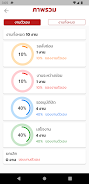
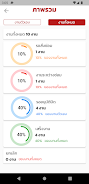
PMII Swan is a compact productivity app designed to streamline document management and team collaboration for busy professionals. It consolidates notes, tasks, and files into a single, searchable workspace with quick sharing, version history, and offline access, helping teams stay organized and synchronized across devices.
PMII Swan targets users who need an integrated hub for daily work—combining task lists, rich-text notes, and secure file storage. Rather than switching between multiple tools, you get a unified environment that emphasizes speed, clarity, and cross-device consistency. The app balances lightweight performance with practical collaboration features, making it suitable for freelancers, small teams, and managers.
PMII Swan organizes content into projects or folders. Each project can host notes, checklists, and uploaded documents. Notes support basic formatting, inline images, and code snippets, which is useful for technical teams. Tasks link directly to related notes so context is preserved during handoffs. Notifications and reminders help keep deadlines visible without cluttering the interface.
Collaborative workflows are lightweight but effective. Invite teammates to a project, assign tasks, and comment inline. Shared links can be time-limited or password-protected for added privacy. Activity logs record edits and comments, providing transparency when multiple people contribute to the same document.
The interface favors minimalism: clear typography, compact lists, and a muted color palette that reduces visual noise. Navigation is straightforward with a left-hand project list and a main pane for content. On average devices, PMII Swan runs smoothly with rapid load times and efficient memory usage. Sync operations occur in the background and can be restricted to Wi-Fi to conserve mobile data.
Users can adapt PMII Swan to personal workflows. Create templates for recurring documents, set up custom tag hierarchies, and configure task views—such as calendar, list, or Kanban-style boards. Integration options include export/import via common formats and links to external cloud storage providers for expanded file management.
Security is practical and transparent. Data is encrypted in transit, and account access supports two-factor authentication. Admin controls allow team owners to manage members, revoke access, and enforce sharing policies. For organizations with stricter requirements, local export and backup features provide additional control over data retention.
Teams appreciate PMII Swan for its pragmatic approach: it avoids feature bloat while covering the most common collaboration needs. The app improves handoffs by keeping tasks and their source material connected, and the search functionality reduces time spent hunting for documents. For groups that need straightforward coordination without complex setup, PMII Swan is an efficient choice.
Installation is quick from the app store and requires a simple account setup. After signing in, create a project to begin adding notes and tasks. New users benefit from the built-in onboarding tips that walk through tagging, sharing, and version recovery. Regular usage typically becomes intuitive within a few sessions.
PMII Swan provides a focused toolset for those who prefer clear, streamlined productivity software. With reliable syncing, practical collaboration tools, and a clean interface, it fits into many professional routines without demanding substantial configuration.