Photo Recover Pro
Version: 1.1.0
39.32MB
4.3
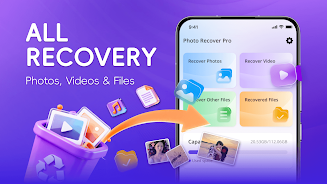
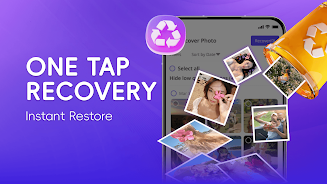


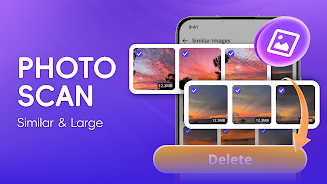
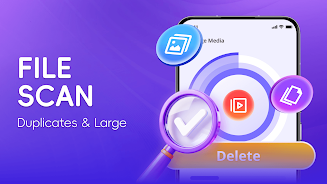

Photo Recover Pro is a lightweight Android utility that helps you locate and restore accidentally deleted photos, videos, audio and documents directly on your device. Designed to run without root access or an internet connection, Photo Recover Pro performs local scans of internal storage and SD cards so your files remain private during recovery. The app presents simple controls and clear previews to reduce guesswork when you need to recover recent losses or older items.
Photo Recover Pro offers a two-step scanning approach: a quick scan to detect recently deleted files and a deeper scan that analyzes raw storage sectors to locate items that are not listed in the system index. You control where to scan (internal storage or any mounted SD card) and can monitor progress through a visible progress bar and estimated time. Active scans can be paused or stopped, and results are updated incrementally so you can preview and recover files before a full scan completes.
Previews are available for supported media formats so you can verify content before recovery. The app recognizes common image and video types including JPG, PNG, GIF, HEIC and several RAW image containers, as well as MP4, MOV, AVI and MKV for video; it also detects many audio and document files. Previews generate thumbnail images and short playback for video and audio when possible, which helps you choose precisely which files to restore. Batch selection and recovery make it simple to restore multiple items in one operation, and you can choose the destination folder on your device to keep recovered content organized.
The interface in Photo Recover Pro is designed for straightforward use: a clear three-step flow guides you through selecting the storage area, starting a scan and reviewing recoverable items. Controls include scanning mode selection (quick or deep), file-type filters so you only view images or videos, sorting options by date, size or type, and a toggle to hide duplicates. Each file is presented with size, last-known timestamp and a preview when available. Selection is performed with simple checkboxes and a visible counter shows how many items will be recovered before you start the operation.
Customization options help you adapt the workflow to your preferences. You can adjust thumbnail quality for faster browsing on low-end devices, choose between restoring files to a default recovery folder or selecting a custom path, and apply basic filters to reduce clutter in results. The app keeps an activity log of recent recoveries so it’s easy to find where restored files were saved and to verify success after an operation.
Using Photo Recover Pro follows a clear progression: run a quick scan after accidental deletion, preview and restore the most important files, then run a deeper scan if items are still missing. Re-scanning the same area can be useful because newly recovered files may reveal additional related content; the app’s duplicate detection and smart sorting make repeated use efficient rather than repetitive. Since the process is local and non-destructive, the tool can be used multiple times over months as you manage and reorganize device storage.
Photo Recover Pro is optimized for low overhead so scans complete without heavy battery drain or extended CPU use on mid-range devices. The app works fully offline and does not upload any data to external servers, which helps preserve privacy and makes recovery possible in situations where connectivity is limited or unavailable. Accessibility considerations include large tap targets for key actions and readable labels for important controls; the simple, contrast-conscious interface supports users who prefer an uncluttered workflow.
Because Photo Recover Pro operates by detecting remnants of deleted files on the device, recovery success depends on how much of the original data remains intact. Files that have been overwritten by new data are unlikely to be retrievable, and heavily corrupted files may not open even after recovery. If a scan returns few results, stop using the affected storage immediately to minimize further overwriting and try a deep scan as soon as possible. Built-in help and troubleshooting tips explain common issues and offer steps to improve outcomes, such as scanning external SD cards with the card inserted and ensuring the app has permission to read device storage.
Photo Recover Pro balances ease of use with technical capability: it provides clear controls, useful previews and practical sorting tools while keeping all operations local to your device. For everyday recovery needs where privacy and simplicity matter, the app is a practical utility to have available when deleted photos or other files need prompt attention.