AQR
Version: 1.2.5
34.20MB
4.5

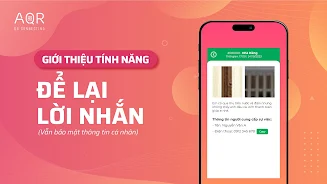
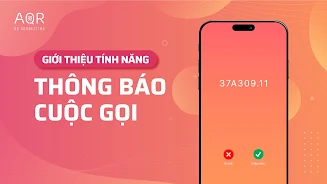

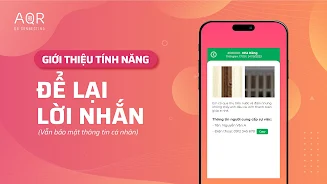
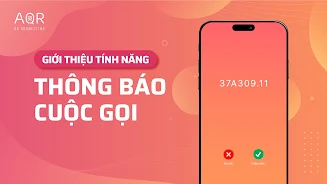

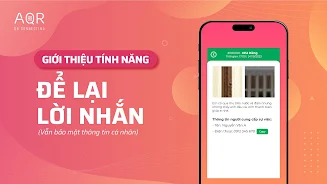
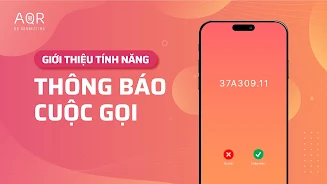
AQR is a compact privacy tool that uses QR codes to attach concise warnings and limited context when you share information from your phone, helping you manage exposure to unwanted advertising, spam and fraud while keeping exchanges convenient and deliberate. AQR places control into the hands of the sender by letting you embed readable alert text and simple metadata into a QR string, and it helps recipients understand risk before they act on a scanned code.
The app provides a straightforward creator and scanner flow: generate a QR that includes a short warning label, a recommended action (for example, "verify sender" or "no external links"), and optional plain-text details that remain on-device. When scanning, AQR shows an immediate, prominent summary of the embedded warning so recipients see potential hazards before opening links or copying information. The design avoids hidden payloads and favors human-readable messages rather than opaque redirection.
AQR emphasizes privacy-first operation: creation and scanning are handled locally by default, so you can make or inspect QR content without sending it to cloud services. This local-first approach reduces the chance of exposing personal contacts or patterns to third parties and makes basic usage possible offline for routine exchanges such as swapping contact cards, event details or safe links.
To reduce interruptions from unwanted advertising and spam, AQR encourages a simple signaling convention. Users can tag codes with categories such as "promotional," "trusted contact," or "unverified source," creating predictable cues that help you decide whether to proceed. The app also supports a preview-and-confirm step before any external URL is opened, giving you a chance to refuse or copy content safely.
Controls in AQR are designed for quick, one-handed use: large scan targets, a clear create button for building warning-enabled QR codes, and toggle switches for common privacy options. When creating a code you type a concise warning, choose a category, and optionally add a short note; the on-screen preview shows how the recipient will see the warning. When scanning you get an immediate summary, a confidence indicator based on local heuristics, and buttons for common safe actions like "Copy as text," "Open with confirmation," or "Save as contact." No advanced menus are required for daily use.
Progression in the app refers to how users can refine their own trust model over time. AQR lets you mark scanned sources as trusted or untrusted on-device, and those choices influence future scans by highlighting familiar senders and deprioritizing repeated warnings. This personal history is stored locally so it improves convenience without relying on external reputation services.
Customization options include concise label presets and theme choices for the UI, such as a high-contrast mode and adjustable text sizes to improve readability during quick exchanges. The visual style prioritizes clarity: warnings use clear color contrasts and plain language rather than alarmist phrasing, and the QR creation preview shows both the code graphic and the human-readable warning together.
Accessibility features include voice-over friendly labels, large tap areas, and keyboard focus support for those who prefer non-gesture navigation. Simple onboarding explains the meaning of each warning category so new users or people unfamiliar with QR conventions can adopt the approach safely and with confidence.
AQR is useful in everyday scenarios: handing out contact details at events, placing a QR on a small business flyer with a "verify before opening" note, or sharing links where you want recipients to be cautious. Because the app works offline for basic creation and scanning, you can rely on it in low-connectivity environments. The replay value comes from habitual use: as you and your contacts adopt consistent warning labels, exchanges become faster and safer without extra steps.
While AQR adds a meaningful layer of clarity to QR exchanges, effectiveness depends on other people recognizing and respecting the warning labels you choose. The app cannot guarantee protection against sophisticated phishing or social engineering, and it intentionally avoids automatic blocking of content so users stay in control. To reduce accidental trust, AQR includes challenge systems such as mandatory preview screens for unknown sources and optional confirmation dialogs for opening external links, giving you time to assess risk before taking action.
Overall, AQR enhances privacy by keeping creation and scanning local, offers clear signaling to reduce unwanted advertising and spam, and supports accessible, low-friction controls that fit common smartphone habits. For users who want a practical, readable way to indicate risk without heavy infrastructure, AQR provides a sensible balance of convenience and protective measures.