
Twinara Translator
Version: 1.0.2
92.00MB
4.4
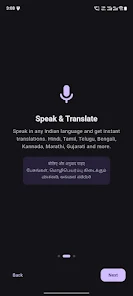
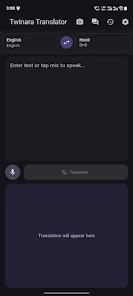
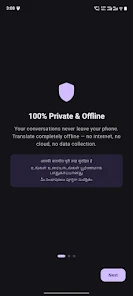
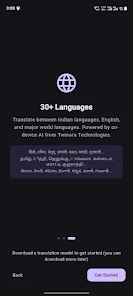
Twinara Translator is a privacy-first, on-device translation app that translates speech, text and images without sending your content to remote servers. The tool processes spoken input and camera captures locally so conversations, messages and scans remain on your device; once you download the initial language models the core features work offline. Twinara Translator supports advanced recognition for major Indian languages, understands common code-mixed input like Hinglish and Tanglish, and provides instant translations into more than 30 languages along with camera OCR and natural text-to-speech playback.
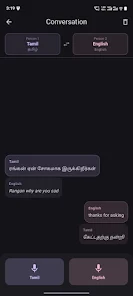
The app groups its capabilities into practical modes that match real tasks: instant text translation for typed or pasted content, single-shot and continuous voice recognition for spoken phrases, a camera mode for live OCR of signs and printed menus, and a two-person conversation mode that alternates input and plays back translated speech. Translation history, a searchable phrasebook and a compact settings area for voice, speed and language selection are included. Twinara Translator also surfaces recent and frequent translations to speed repeat lookups and supports selectable playback voices to help with pronunciation practice.
Interaction is focused on speed and clarity: tap-to-speak for quick voice capture, a text field for precise entries, and a camera icon to scan text in the environment. Conversation mode uses two large on-screen buttons so each speaker can tap when they speak, and playback voices can be switched or slowed to aid learners. During initial setup you choose which language models to download and a progress indicator shows model size and estimated time; model downloads are modular so you only keep languages you need. Over time the app adapts to usage patterns—saved phrases form a personal phrasebook and frequent translations appear in suggestions, creating a lightweight progression that encourages memorization and gradual independence from constant lookups.
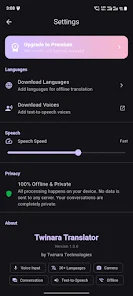
Controls are deliberately simple but customizable: select preferred voices and alter playback speed, adjust microphone sensitivity for noisy places and increase font sizes for readability. The interface uses large, well-spaced buttons and clear iconography to make common actions like swapping language pairs or toggling the microphone immediate and obvious. Accessibility features include text-to-speech for visually impaired users, adjustable speech rate for learners, and support for system font scaling. These options let you tailor the experience for travel, study or everyday conversation without changing the core workflow.
The visual approach favors readability and minimal distraction: clean typography, high-contrast themes and a dark mode reduce eye strain and improve visibility outdoors or at night. Active controls are sized for quick tapping and the camera workflow highlights recognized text blocks so you can confirm OCR results before translating. Subtle animations communicate progress during recognition or model downloads without slowing interactions, and contextual tips in the settings explain how to get better results when dealing with accents or mixed-language sentences.
Offline operation is central: after initial model downloads, on-device translation, speech recognition and camera OCR function without network access. Models are optimized for mobile hardware and designed to handle background noise, regional accents and short code-mixed utterances. The app offers practical advice inside settings—such as pausing briefly between speakers in conversation mode or using headphones in loud environments—to improve accuracy. Updates for models can be scheduled over Wi-Fi to minimize data use and a storage view helps you manage which language packs remain installed.
Privacy remains straightforward: audio, text and image data are processed locally and not sent to cloud servers unless you explicitly export a file. An optional premium plan unlocks higher-quality AI translations, access to the complete set of supported languages, extended camera translation capabilities and an ad-free experience. For best results, download language models on Wi-Fi, keep models updated periodically, and use headphones in noisy settings when using conversation mode. Twinara Translator is positioned as a practical, private tool for travelers, learners and everyday communication, offering clear controls for storage, model management and voice preferences so you stay in control of your data and how translations are produced.