
VideoCompress
Version: 1.0.0
136.00MB
4
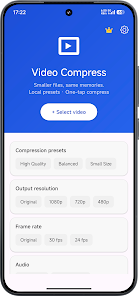
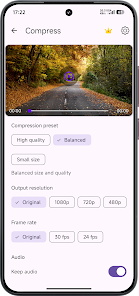
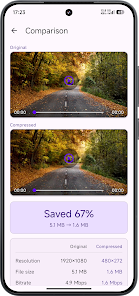
VideoCompress is a compact utility that reduces the size of video files directly on your Android device, helping you free up storage and share clips faster without sending data to the cloud. With VideoCompress you can select a clip, choose a preset or adjust resolution, frame rate and audio, then export in a few taps; compression runs entirely on-device so your footage stays private and you can compare before-and-after statistics for size, resolution and bitrate.
VideoCompress performs all compression locally and does not upload your videos to external servers.
Quick presets let you pick high quality, balanced, or smallest file size with a single tap.
Fine-tune output by adjusting resolution, frame rate, and keeping or removing audio tracks.
Before-and-after statistics show size, resolution, bitrate and other useful details to help you choose the best settings.
An export list consolidates converted files so you can open, share, save to gallery or delete results.
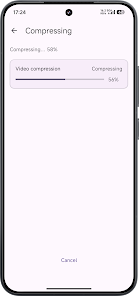
Background-friendly processing with clear progress indicators lets you continue other tasks while compression runs.
An optional Pro upgrade removes ads, enables faster processing and unlocks HD, 2K and 4K export where supported.
All work is performed on-device for better privacy and no cloud uploads.
A simple interface with presets and manual controls makes it easier to balance video quality against file size when cleaning up your device or preparing clips for sharing.
The free version includes ads unless you purchase the Pro upgrade.
Advanced features such as HD/2K/4K export and batch compression require the Pro upgrade and may not be available on every device.
Compression speed and final quality depend on your phone's hardware and may vary across devices.