AI Anime Filter - Anime AI
Version: 3.2.32
199.20MB
4.2
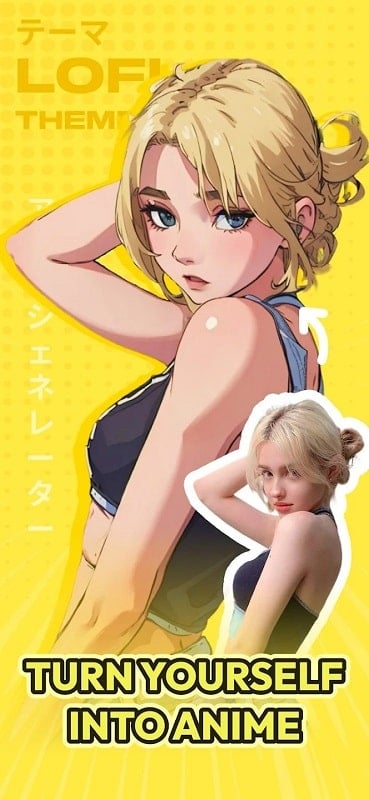
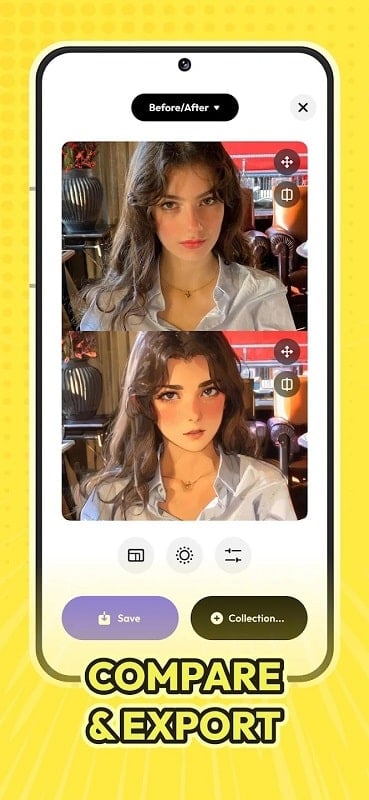
AI Anime Filter - Anime AI turns your selfies into detailed anime-style portraits using artificial intelligence, letting you see yourself as a manga or anime character in seconds. The app is useful for fans who want playful profile pictures, themed avatars, or social media content—just upload a photo, describe any specific features you want (hairstyle, eye color, accessories), and let the filter do the rest. It works with people, pets, and objects, so you can experiment with friends or household items. Results are quick and easy to save or share, making it a fun creative tool for anyone curious about anime-style imagery.
⭐ One-tap conversion: upload a photo and the app converts it into an anime portrait in seconds.
⭐ Customization by description: add notes about hairstyle, colors, or accessories to personalize results.
⭐ Works with people, pets and objects so you can create avatars from any photo subject.
⭐ Fast processing for quick previews and easy experimentation with different looks.
⭐ Save results to your gallery or share them on social networks directly from the app.
✅ AI Anime Filter - Anime AI offers a simple upload-and-convert workflow that’s approachable for beginners.
✅ Produces fun, shareable avatars that work well for profile pictures and creative posts.
✅ Allows quick experimentation with styles and small adjustments through descriptive inputs.
✅ Lets you transform friends, family, and pets for entertaining results without manual drawing skills.
❎ AI Anime Filter - Anime AI may not reproduce every custom detail exactly, especially with complex requests.
❎ Output quality can vary depending on the original photo’s lighting, resolution, and composition.
❎ Some specific anime styles or extreme edits might not be available in a single click.