Win 11 Launcher
Version: 8.97
10.63MB
4.1
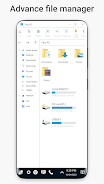
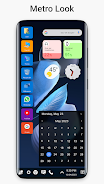
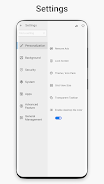
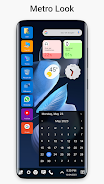
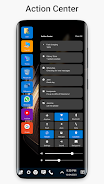
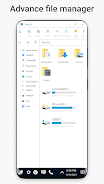
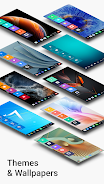
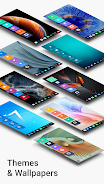
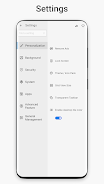
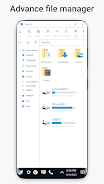
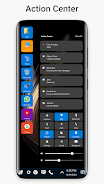
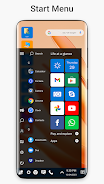
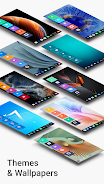
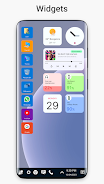
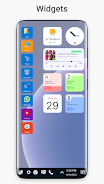
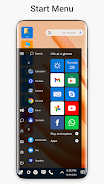
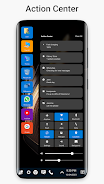
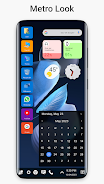
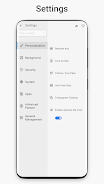
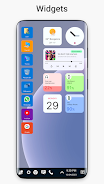
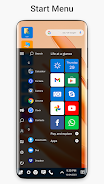
Tired of the same old Android interface? Say goodbye to boredom and hello to the sleek, Windows-style launcher with Win 11 Launcher. This app allows you to customize your phone with a unique look and feel inspired by the Windows 11 and 10 operating systems. With features like file management (cut, copy, paste, zip/unzip files) and customizable themes (including stylish tiles and easy navigation), you can easily transform your Android device into a Windows Phone experience. Surprise your friends with a fresh new look and share the love with Win 11 Launcher.
* File Manager: Easily manage your files with the ability to cut, copy, paste, rename, zip/unzip files, view file properties, create folders, and create shortcuts.
* Themes: Customize your phone with customizable theme colors, stylish tiles for Android apps, one-click access to best apps, and a Windows Phone experience on your Android device.
* Fast and Clean: Enjoy a fast, clean, and energy-efficient launcher for a smooth user experience.
* Unique Look and Feel: Surprise your friends with a new look for your Android device and easily share it with your loved ones.
* Easy Navigation: Quickly navigate to your apps with smooth and intuitive navigation features.
* Inspired by Win 11 and Win 10 OS: Get the feel of Windows style launcher on your Android device without any wait.
In conclusion, the Launcher App offers a range of features such as a file manager, customizable themes, fast and clean performance, unique look and feel, easy navigation, and inspiration from Win 11 and Win 10 OS. Download now to give your Android device a fresh and stylish makeover.